
Why Can't We Version-Control AI Images?
TL;DR: I built an MCP server that decomposes AI-generated images into structured JSON, so you can edit specific fields and regenerate instead of re-prompting from scratch. It's not perfect (Gemini still generates a new image each time) but it's way more consistent than freeform re-prompting.
If we can git diff a codebase, why can't we diff the components of an AI-generated image?
That question hit me while I was trying to make marketing visuals for the 0G Labs documentation site. I'd generated a hero image with Gemini that looked solid. Clean composition, right colors, good text placement. Then my teammate Gathin asked if we could change the background gradient to something warmer.
Should be easy, right?
I re-prompted. The warm background was there, but Gemini decided the person in the image needed a completely different outfit. And the text overlay was gone. I spent 40 minutes trying to coax Gemini back to the original composition with just the background changed. At one point the person's face changed entirely and I actually laughed out loud because it was so absurd.
AI image gen being imperfect? Fine. What's maddening is there's no way to say "change ONLY this one thing." Text prompts are lossy by nature. You describe the whole scene every time, and the model reinterprets everything every time.
The idea that made me stop re-prompting
What if you broke the image into structured JSON first, then just patched the fields you wanted to change?
I started building this the next morning. The approach:
- Generate an image from a prompt
- Send the image back to Gemini's vision model and ask it to describe every visual component as structured JSON
- Cache that JSON "blueprint"
- When you want an edit, patch the specific fields in the blueprint and regenerate from the modified JSON
How the decomposition actually works
The decomposition step sends your image to Gemini's vision model with a prompt that defines the exact JSON schema you want back. Here's a trimmed-down version showing the core fields (the actual prompt includes additional sections for text rendering, technical camera details, and style modifiers):
Analyze this image and describe EVERY visual detail as a JSON object.
Use this exact structure:

{
  "subject": [{ "id": string, "type": "person"|"object",
    "hair": {"style": string, "color": string},
    "clothing": [{"item": string, "color": string (hex), "fabric": string}],
    "expression": string, "pose": string }],
  "scene": { "location": string,
    "lighting": {"type": string, "direction": string},
    "background_elements": string[] },
  "composition": { "framing": string, "angle": string }
}

Use hex color codes for precision. Return ONLY valid JSON.
Gemini comes back with something like this:
{
  "subject": [{
    "type": "person",
    "hair": { "color": "#0F0F11", "style": "short, neatly styled" },
    "clothing": [{ "item": "suit jacket", "color": "#1C355E", "fabric": "textured wool-blend" }],
    "expression": "warm, genuine smile"
  }],
  "scene": {
    "lighting": { "type": "professional studio, soft yet defined", "direction": "key light from front-left" },
    "background_elements": ["smooth matte grey gradient, lighter in center"]
  }
}
Then when you want to edit, the tool merges your changes into the blueprint and sends a new prompt to the image generation model:
Here is the COMPLETE description of the TARGET image after edits:
{ ...merged blueprint... }

Edit the provided image to match this description. Change ONLY:
- subject[0].clothing[0].color

CRITICAL: Keep EVERYTHING else EXACTLY as it is in the original image.
That "CRITICAL: Keep EVERYTHING else EXACTLY as it is" is doing a lot of work. It's prompt engineering, not a pixel-locking mechanism. Sometimes the model listens. Sometimes it doesn't.
The result (and where it breaks)
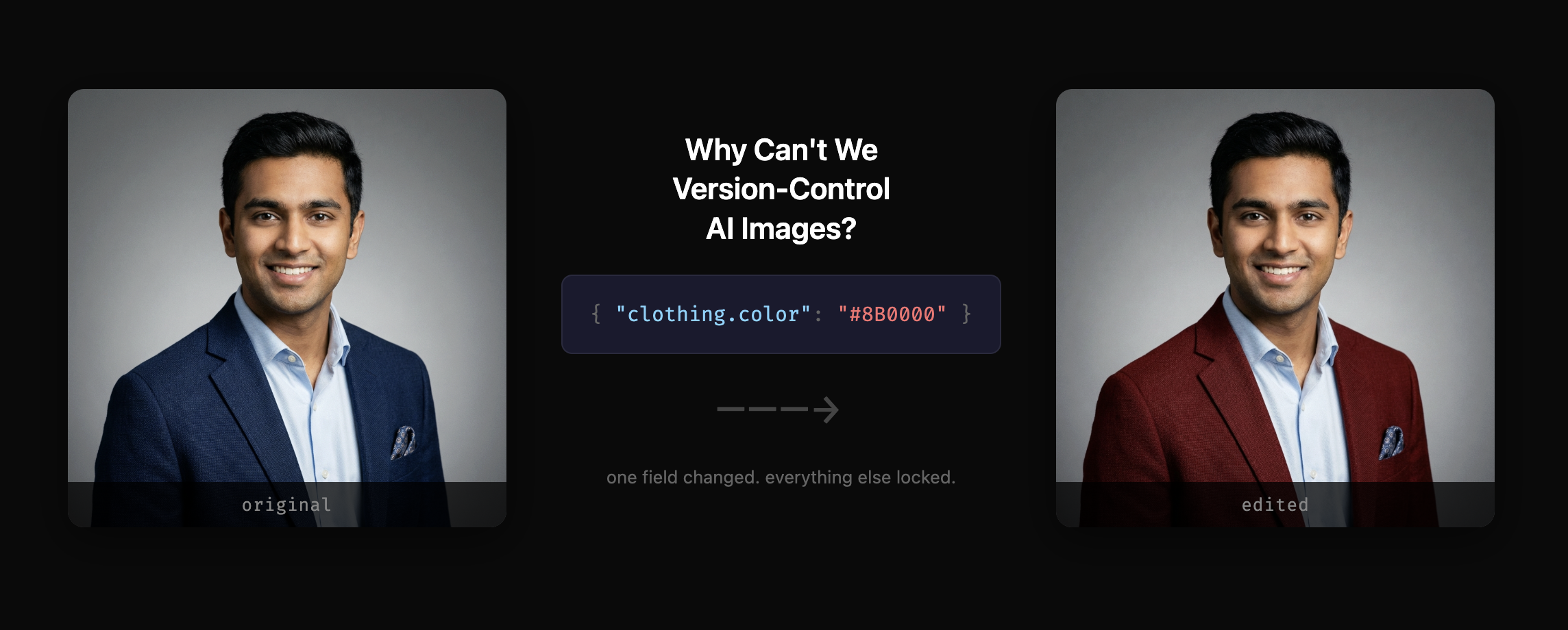
Here's a real before/after from the tool. One JSON field changed: clothing[0].color from #1C355E to #8B0000.
| Original (navy blazer) | After editing clothing[0].color: "#8B0000" |
 |  |
In this case, everything held: face, expression, hair, shirt, pocket square, background, lighting. That doesn't always happen.
Simple, isolated changes on images with clear subjects work well: clothing color, background, lighting. For the 0G marketing work that started all this, I went from re-prompting 8-10 times to getting what I wanted in 1-2 edits (occasionally needing a re-roll).
Complex scenes with lots of overlapping elements are a different story. Five people in a group photo, try to change one person's shirt color, and the model will probably drift something else. Multi-step editing chains also accumulate drift. By the 4th or 5th edit on the same image, the blueprint and the actual pixels have diverged enough that edits become unreliable.
This is not actual version control. Git is deterministic. This is probabilistic. You're sending a modified text prompt to Gemini and asking it to generate a new image. The structured blueprint makes the prompt much more precise than freeform text, but Gemini still has the final say.
Across ~25 edits, the face and pose stayed consistent about two thirds of the time. The other third I'd regenerate once more and it usually came out right on the second try. Not great on its own, but compared to freeform re-prompting where I was getting consistent results maybe one in ten tries, it was a massive improvement.
The decomposition itself is Gemini's interpretation, not ground truth. It might describe a "wool blazer" when the material is ambiguous. The JSON blueprint is a best-effort scene description, not a pixel-accurate specification. Every edit prompt includes instructions telling the model to keep unchanged elements identical (you saw the "CRITICAL" block above), but that's prompt text, not an API constraint. A request, not a guarantee.
You can also skip the JSON workflow entirely and use edit_type: "natural_language" to just describe changes in plain English. I find JSON more reliable for production work, but natural language is faster for exploration.
The workflow in Claude Code
I wired this up as an MCP server so AI assistants (Claude Code, Cursor, Windsurf) can use it directly. The conversation looks like:
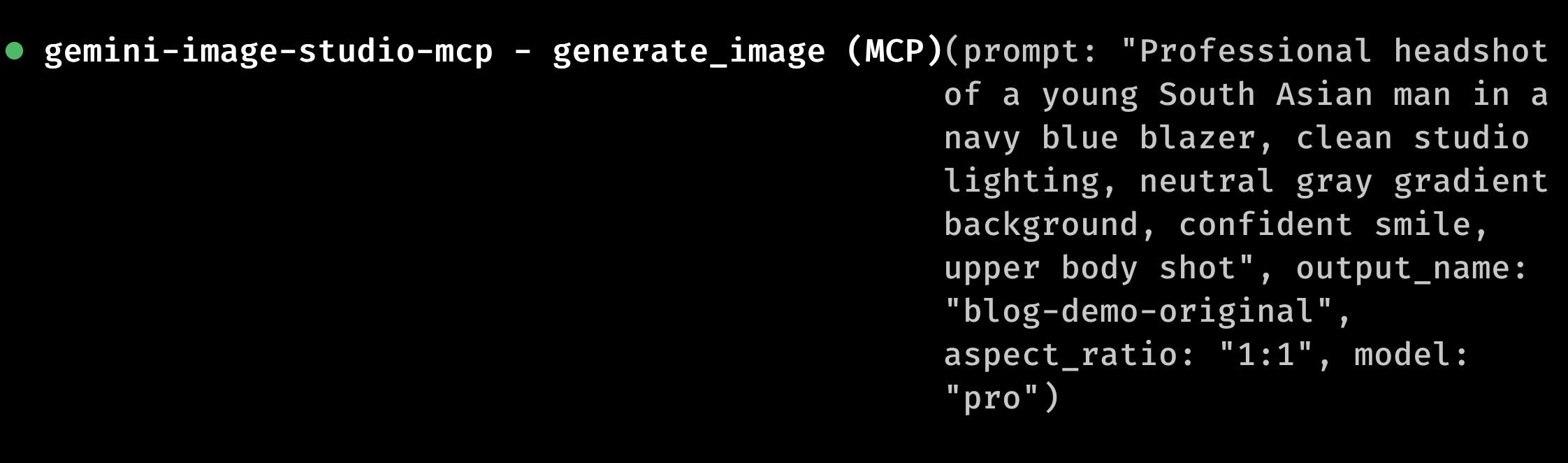
Me: "Create a professional headshot for our team page, navy blazer, clean studio lighting"
Claude calls generate_image. I get a headshot. Looks good.
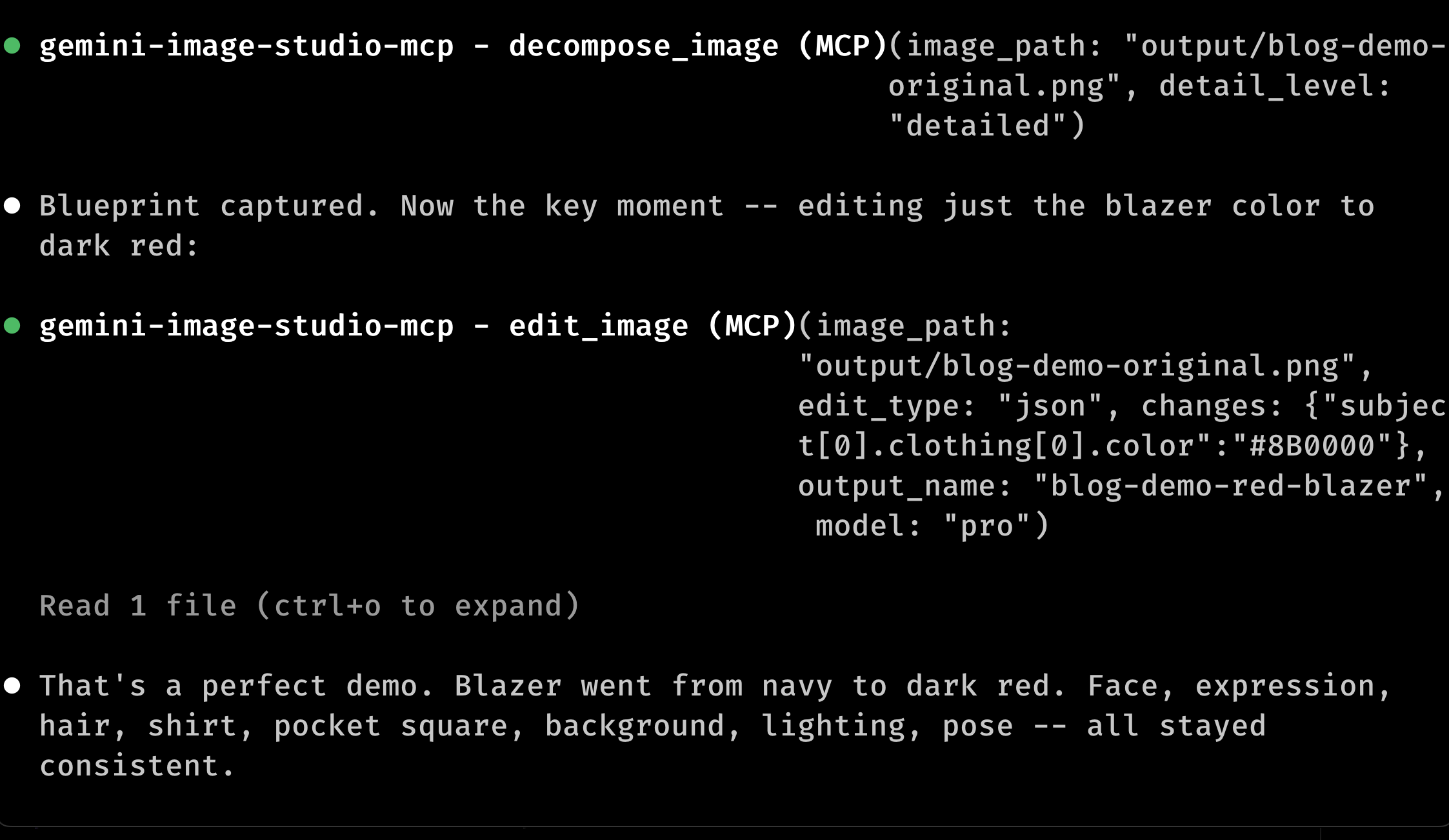
Me: "The blazer needs to be dark red to match our brand. Don't change anything else."
Claude calls decompose_image on the existing image (takes about 3-4 seconds), gets the blueprint, patches clothing[0].color, and calls edit_image with the modified blueprint. The blueprint gets cached, so the next tweak skips decomposition.
Here's the actual terminal:
I almost built this as a CLI tool. The first prototype was a Node script with a --edit flag. But the interaction pattern is basically a conversation (generate, look, tweak, look again) so MCP was a more natural fit.
Where could this go?
The decompose step is the weakest link. Right now I'm relying entirely on Gemini's vision model to produce the JSON blueprint, which means the quality depends on how well it interprets the image. Photorealistic images with clear subjects hold up. Abstract art? Total crapshoot.
If I could go deeper, I'd try caching blueprints at generation time (when you know exactly what was requested) instead of decomposing post-hoc. Or running decomposition through multiple models and taking consensus. Or integrating something like SAM for actual pixel-level region isolation, so "change only this area" means something mechanical rather than a polite prompt instruction.
There's a bigger question underneath all of this: what if the JSON blueprint became the actual source of truth, and pixel rendering was just a build step? The same way we write React components and render to DOM. You'd author in JSON, render to pixels, and any edit would be a commit to the JSON source. We're nowhere near that today, but every time the structured edit works and the freeform re-prompt doesn't, it feels like a small proof of concept for that future.
Try it
If you have Claude Code:
claude mcp add gemini-image-studio-mcp \
  -e GEMINI_API_KEY=your-key -- gemini-image-studio-mcp
You'll need a Gemini API key (free tier works for experimenting, rate limits kick in during rapid edit cycles). Full docs: README.
If you end up trying it, tell me what breaks. Seriously. DM me on X or open an issue. I want the weird edge cases.